Residential + Commercial
A plumbing price book built from real parts and labor
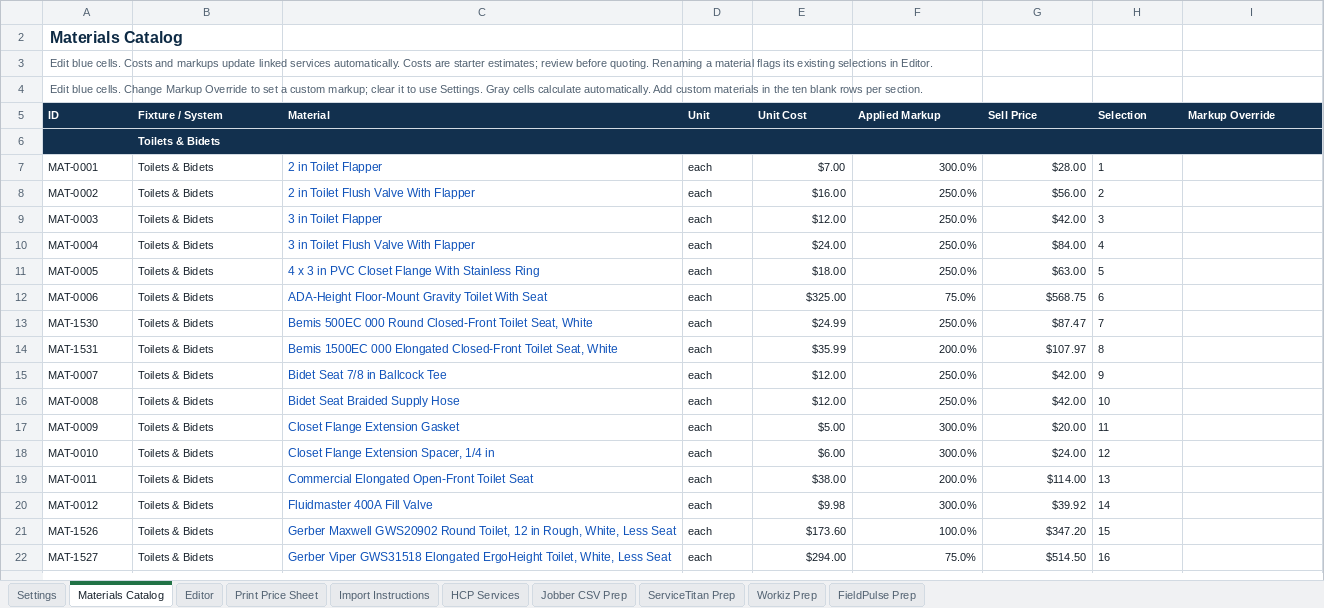
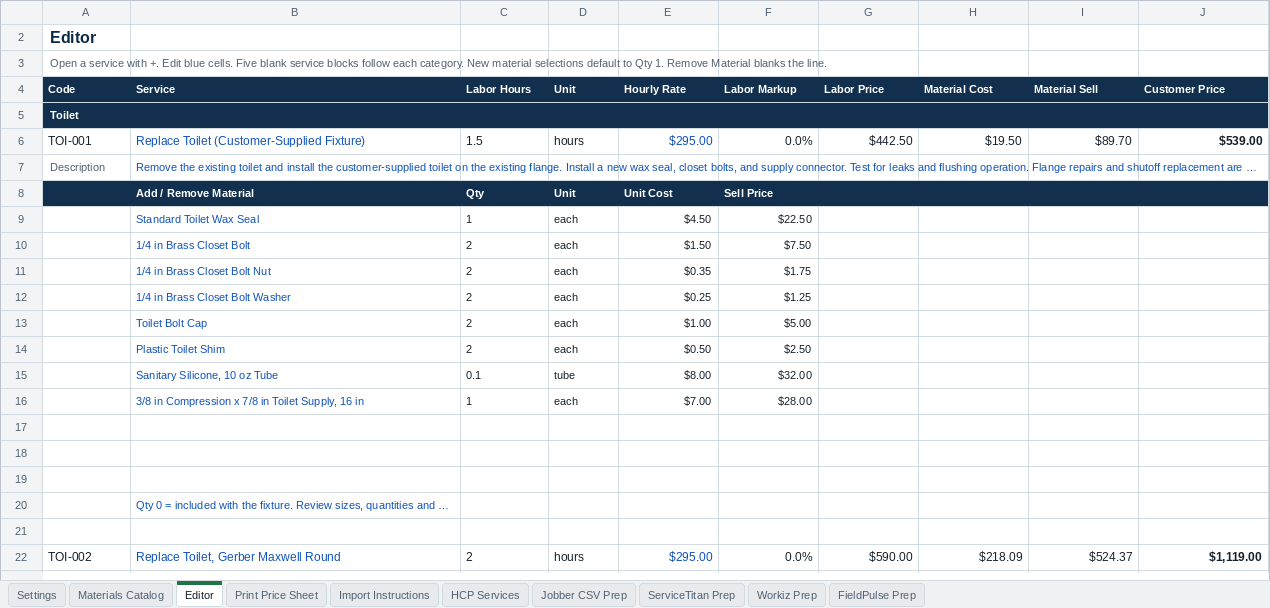
All 459 services with more detail: materials catalog and service editor.
All 459 residential and commercial services, each built from labor hours and parts in a shared materials catalog. Change one material price and every linked service updates.
$549
One-time purchase · 459 services · Plus applicable taxes
Buy Pro Residential + CommercialDownload after payment is confirmed. Free re-downloads. If the price book isn't working for your shop, email support@plumbrate.com. We ask that you give us a chance to help you adjust it to your needs. If we can't get it working for your shop and you're still unhappy, we'll gladly refund your purchase.
What is inside
- A shared materials catalog with more than 1,100 items
- Each material has its own price and markup you control
- Every service is built from labor hours plus the exact parts it uses
- Change one material price and every linked service updates
- A print-ready price sheet for your techs, or save it as a PDF
See details
Prepare your reviewed prices in the workbook, export the values in bulk, then follow your platform's import steps. Housecall Pro, Jobber, ServiceTitan, Workiz and FieldPulse. No live sync; steps can depend on your account or plan.
Who it is for
- You want to see and control the parts behind every price
- Material costs move often and you want one place to update them
- You want labor and materials separated on every service
Questions
What do I need to use it?
Microsoft Excel on a computer. You enter your company numbers, review labor and materials per service, and print or save the price sheet for your techs.
Can I add the other market later?
Yes. Sign in to My Books with your purchase email and you only pay the difference to move up to the combined Residential + Commercial book.
Is this a subscription?
No. It is a one-time purchase with free re-downloads.
Need help getting it working for your shop? Email support@plumbrate.com. If we can't get it working for your shop and you're still unhappy, we'll refund your purchase. Refund policy
Export prep tabs: Prepare your reviewed prices in the workbook, export the values in bulk, then follow your platform's import steps. Housecall Pro, Jobber, ServiceTitan, Workiz and FieldPulse. No live sync; steps can depend on your account or plan. Platform guides · Export help video (lesson 12)
Download a 2-page PDF sample